

AI Meeting Assistant: 8 Questions to Ask Before You Buy
Notably, an AI meeting assistant is software that joins or ingests your calls, then produces the recap, the tasks and the record for you. So every vendor's page says much the same thing. Namely, accurate transcription, actionable insights, saved time. However, that tells you nothing about which one to pick.
Indeed, knowledge workers spend about 4.5 hours a week in meetings, according to the Microsoft Work Trend Index. Therefore, over 45 work weeks, that is about 200 hours a year each. Thus the wrong AI meeting assistant costs real time for a long while.
The U.S. Thus bureau of Labor Statistics tracks work time in its American Time Use Survey. Meanwhile, these 8 questions are the ones to put to any AI meeting assistant vendor. Indeed, each comes with the tell that marks a weak answer.
Treat vagueness as data. A vendor who will not give you a separate owner-detection figure has told you what it is.
What to have ready before an AI meeting assistant demo
Firstly, bring these to any vendor conversation. Namely, each one turns a vague answer into a checkable one.
- Firstly, your real numbers: meetings per week, team size, and which platform you use.
- Secondly, one recorded call with at least 4 speakers, including people talking over each other.
- Thirdly, a written list of the 8 questions below, so nothing gets skipped under sales pressure.
- Finally, your compliance requirements, if any — HIPAA, SOC 2 type, or data residency.
Secondly, work through the AI meeting assistant questions in this order:
- Accuracy and its test conditions.
- Owner detection, as a separate figure.
- Memory across conversations.
- Native integration with your platform.
- Behaviour at the usage limit.
- Free tier terms.
- Data policy in writing.
- Real cost at your volume.
The 8 AI meeting assistant questions at a glance
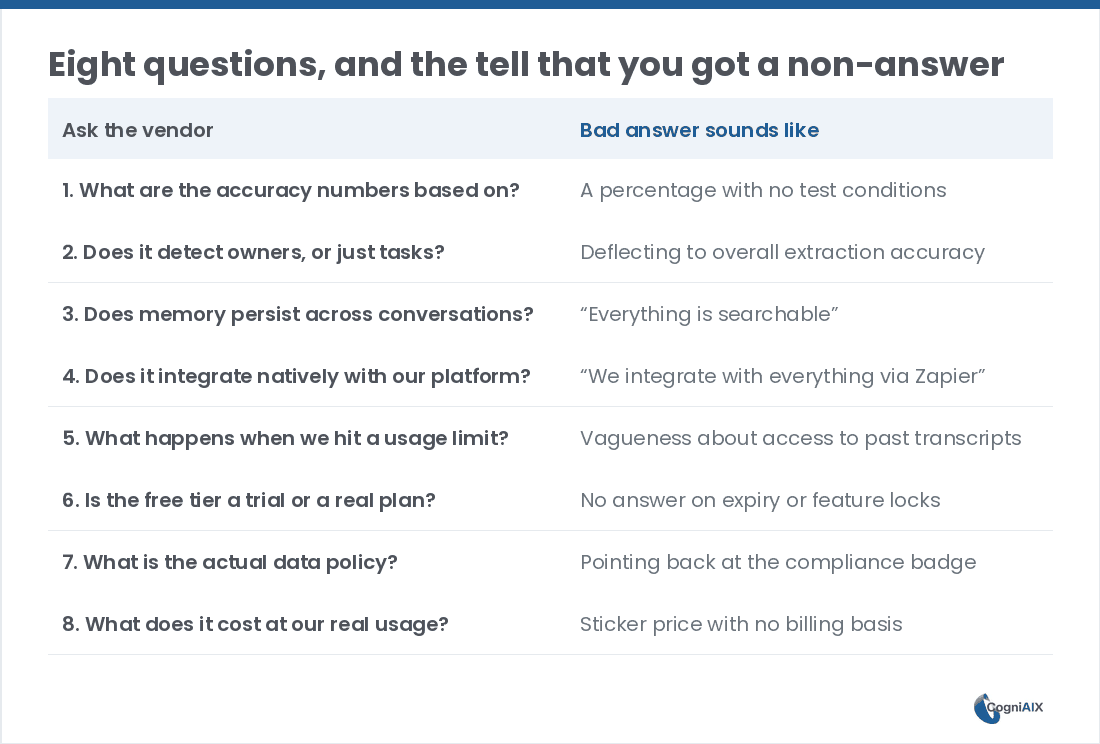
| # | Ask the vendor | Weak answer sounds like |
|---|---|---|
| 1 | What are the accuracy numbers based on? | A percentage with no test conditions |
| 2 | Does it detect owners, or just tasks? | Deflecting to overall extraction accuracy |
| 3 | Does memory span every conversation? | "Everything is searchable" |
| 4 | Does it integrate natively with our platform? | "We connect to everything via Zapier" |
| 5 | What happens when we hit a usage limit? | Vagueness about access to past transcripts |
| 6 | Is the free tier a trial or a real plan? | No answer on expiry or feature locks |
| 7 | What is the actual data policy? | Pointing back at a compliance badge |
| 8 | What does it cost at our real usage? | A sticker price with no billing basis |
1. What are the accuracy numbers based on?
Firstly, "99% accurate" means little without conditions. Therefore ask what audio the figure covers — clear single-speaker, or people talking over each other with background noise.
Secondly, ask whether anyone outside the company verified it. Hence for reference, CogniAIX reports 98.9% on clear English audio, and says plainly that it is its own test.
2. Does it detect owners, or just tasks?
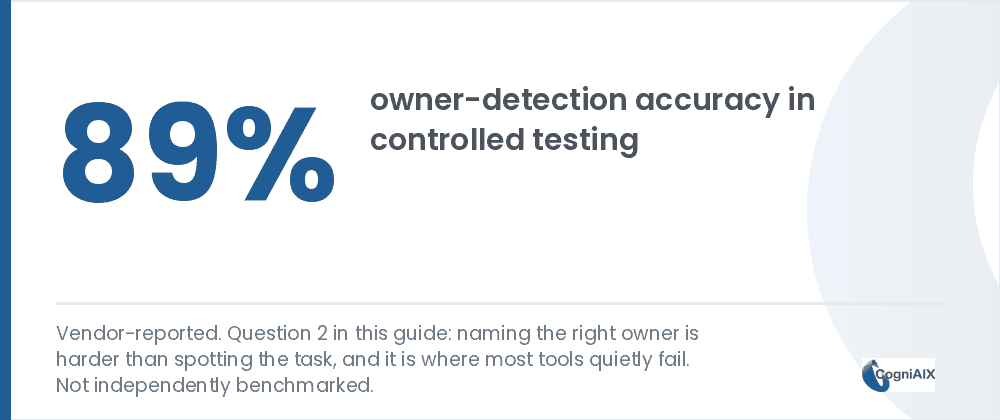
Firstly, catching "send the proposal by Friday" is easy. Conversely, naming who said it in a 6-person call, without you fixing it, is the hard part.
Notably, CogniAIX publishes 89% for owner detection alongside 92% for task spotting. Thus separate figures are the signal: a vendor quoting one blended number probably runs one undifferentiated pass.
3. Does memory span every conversation?
Now, this is the biggest divide between AI meeting assistant products. Namely, can it answer "what did we decide 3 months ago" without you finding that meeting first? Moreover, if not, it is a per-meeting transcriber, however it markets itself.
4. Does it integrate natively with your platform?
Therefore, if your team lives in Teams, confirm it joins Teams calls directly rather than needing an upload workaround. Likewise for Zoom, Slack, and wherever follow-up should land.
5. What happens when you hit a usage limit?
Therefore every AI meeting assistant caps something on its free and lower tiers — minutes, imports, storage. Therefore ask exactly what stops working, and what stays reachable.
Notably, a tool that locks you out of past transcripts when minutes run out is a very different product from one that pauses new capture. Indeed, this question surfaces the nastiest surprises, and buyers skip it most.
6. Is the free tier a trial or a real plan?
Namely, ask two things. Firstly, does it expire? Secondly, are core features available on it, or reserved for paid plans? Hence a permanent free tier with a feature wall is a trial wearing different clothes.
7. What is the actual data policy?
Notably, badges are a starting point, not an answer. Therefore ask three things directly. Does call data train any model? Does audio ever reach third parties? Rather, does encryption cover both transit and rest?
Moreover, for SOC 2, ask whether it is Type I or Type II. Specifically, they are materially different.
8. What does it cost at your real usage?
Besides, aI meeting assistant pricing splits two ways, and per-seat behaves very differently from per-minute as a team grows. Thus run the maths at your actual volume rather than comparing sticker prices.
Granted, for context, Otter lists $16.99 per user each month, or about $8.33 on annual billing. Meanwhile Fireflies lists $18.00 monthly, or $10.00 annually. Conversely, per-minute plans scale with talk rather than headcount.
Which AI meeting assistant question matters most?
Ultimately, question 3. Notably, does memory last across calls? Indeed, that one answer predicts whether you still use the tool in 6 months.
How CogniAIX answers these AI meeting assistant questions
Therefore CogniAIX answers most of these on its own pages. That is, accuracy figures with stated conditions, and owner detection built into extraction. Moreover, memory spans every call, Teams and Zoom join natively on paid plans, and the free Spark plan gives 300 minutes with no expiry and no feature wall.
Moreover, it can automate the write-up entirely, which saves time and reduces effort your team spends rebuilding what was agreed. However, we would rather you asked us all 8 than took that paragraph at face value.
Specifically, for the wider category overview, see the AI meeting notes app guide.
Question 3 predicts whether you still use the tool in six months. Ask it first.
People Also Ask — Choosing an AI Meeting Assistant
Is a higher accuracy percentage always the deciding factor?
No. Indeed, a tool with slightly lower accuracy but strong owner detection and lasting memory is usually more useful day to day. Conversely, marginally better transcription with per-meeting silos is not.
How much weight should pricing carry?
Broadly, enough to run the real maths for your usage, but not enough to override fit. In particular, a cheaper tool that misses your platform often costs more in workarounds than the price gap saves.
Should I trust vendor-reported accuracy numbers?
Rather, weigh them against how much detail comes with them. Thus a vague unconditioned number is worth far less than one with stated test conditions, even from the same vendor.
What is the single best question if I only ask one?
Question 3. Precisely, whether memory spans every conversation. Indeed, that one answer predicts long-term use better than any other.
How long should a trial run before deciding?
Broadly, give it at least two weeks of normal meeting load. Notably, memory and follow-through only show their value once a few calls have accumulated.
Run These Questions Against CogniAIX
Likewise, in practice, CogniAIX captures every meeting and spots promises in context. Moreover, it writes a clear recap before the next session and keeps every call searchable. Specifically, as a result, you can test all eight questions on your own calls rather than taking a demo's word for it.
Try CogniAIX free — capture your next call. Notably, no credit card required, and your first recap lands in minutes.