


Meeting Overload: Why More Software Doesn't Fix It
Meeting overload is the state where the work around your calls — prep, notes, chasing, remembering — grows faster than the time you have for it. So the usual answer is another tool. However, that rarely helps.
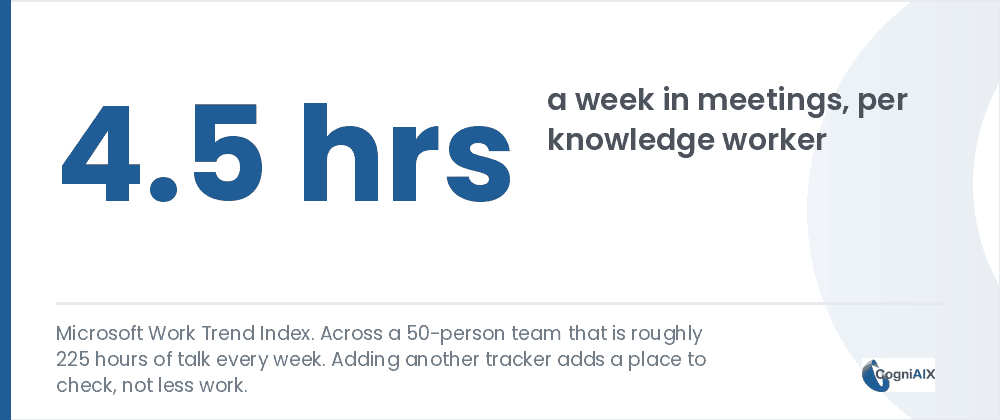
Knowledge workers spend about 4.5 hours a week in meetings, according to the Microsoft Work Trend Index. Therefore, over 45 work weeks, that is about 200 hours a year each. Moreover, across a 50-person team it reaches roughly 225 hours of talk every week.
The U.S. Bureau of Labor Statistics tracks work time in its American Time Use Survey. Thus it is worth a look next to your own week. Meanwhile, the shortage was never places to record things. Instead, it was the layer sitting on top of the meetings.
Another dashboard adds a place to check, not less work.
Why does adding another tool not fix meeting overload?
Firstly, each new tracker adds somewhere to check. Hence a team already drowning does not need a fresh destination for information.
Rather, it needs the coordination that currently rests on a person doing it by hand. Namely, noticing that a choice already got made, catching two teams doing the same job, making sure a promise does not quietly vanish. Thus the fix has to remove a step, not add one.
Indeed, this is the job a chief of staff does on teams that have one. Notably, they do not attend every meeting. Instead, they sit across all of them and catch the gaps everyone else misses. However, most teams have nobody in that role.
What four pressures drive meeting overload?
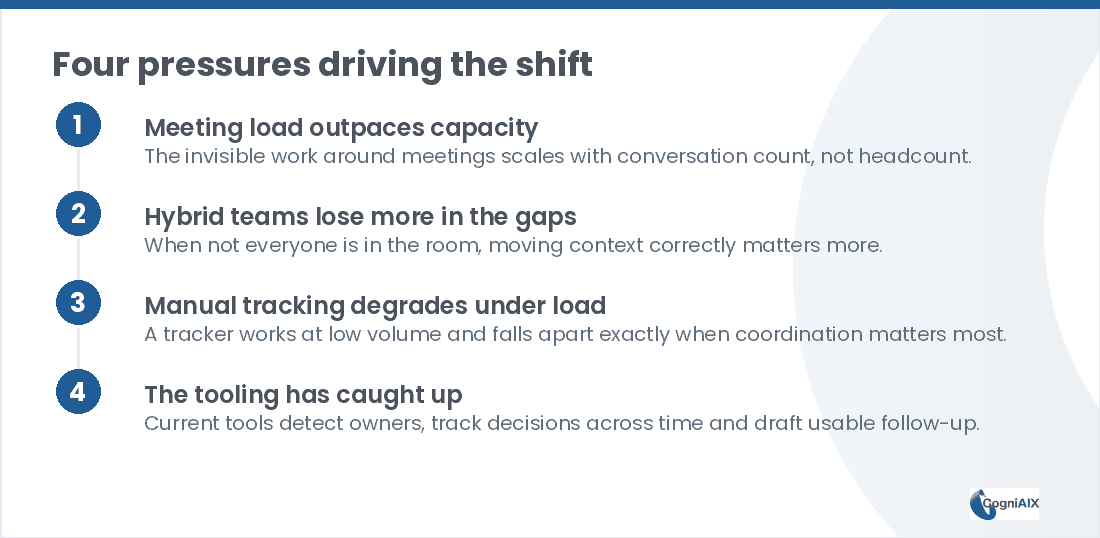
Broadly, four things push teams toward automatic coordination. Namely, each one gets worse as the team grows.
- Meeting load outpaces the capacity to process it. The work around calls scales with conversation count, not headcount. Therefore it grows even when the team does not.
- Hybrid teams lose more in the gaps. When not everyone sits in the room, moving context correctly matters more.
- Manual trackers degrade under load. A tracker holds at 2 meetings a day and falls apart at 6 — just when coordination counts most.
- The tooling caught up. Current tools name owners, track choices across time, and draft usable follow-up.
How do you tell a calendar problem from a coordination gap?
Now, here is the test. Count how many of your meetings exist only to re-establish context.
Namely, status updates that recap what people already wrote. Calls that reopen a choice because nobody is sure it was final. Handovers that happen because context lives in one person's head.
Therefore, if a real share of the calendar is context-transfer rather than deciding, cutting meetings will not help. Conversely, the context still has to move. Thus removing the meeting just pushes the problem into Slack.
| Calendar problem | Coordination gap | |
|---|---|---|
| What it looks like | Too many meetings | The same questions asked twice |
| Typical fix tried | No-meeting days | Another tracker |
| Why that fails | The work still needs doing | Somebody still has to feed it |
| What actually helps | Fewer, shorter meetings | Capture that runs on its own |
| Test | Is the calendar full? | Do choices get reopened? |
Hence the two problems look alike from the outside. However, they need opposite fixes.
What should you check before adding another tool?
Firstly, run this short list before you buy anything else.
- Does it remove a step, or add a place to check?
- Who has to feed it, and what happens on their busiest week?
- Does it work from calls that already happen, or need fresh input?
- Can it tell you a topic is settled before the next meeting starts?
Ultimately, the last question separates coordination from filing. Indeed, a tool that only records cannot stop the repeat conversation.
For what this category covers and how to judge it, see AI chief of staff software.
How CogniAIX approaches meeting overload
Therefore CogniAIX is built around this shift. Rather than positioning itself as a better notetaker, it frames Cognia as 8 jobs done by one AI working from a single shared memory.
Moreover, that includes a Decision Keeper, which stops choices getting reopened, and a Task Master, which turns spoken promises into owned, tracked work. Thus the coordination a chief of staff would do by hand happens across every call. As a result, it can automate the chasing and save time your team spends on it now, which reduces effort in the weeks nobody has any to spare.
Cutting meetings does not move context. It only changes where the context gets lost.
People Also Ask — Meeting Overload
Is meeting overload only a big-company problem?
No. Indeed, it applies more broadly than headcount suggests. Namely, a founder juggling investor, hiring and product calls with no support faces the same problem at a different scale.
Does adding AI just become another tool to manage?
The difference sits in where the effort goes. Specifically, a new dashboard needs somebody to feed it. Conversely, an AI layer working from calls that already happen removes a step instead of adding one.
What is the first sign a team needs this?
If the same choice keeps getting re-discussed, or promises regularly vanish despite everyone taking notes, that is a coordination gap. Thus better habits alone tend not to close it.
Will this reduce the number of meetings on the calendar?
Indirectly, at best. Namely, it cuts the meetings that exist only to re-establish context or confirm what was decided. However, meetings that exist to make a real choice still need to happen.
How long before it pays off?
Most teams notice it the first time somebody asks about last quarter. However, the compounding value builds over months, as the archive deepens and fewer questions get asked twice.
Worth Seeing on Your Own Calendar
In practice, CogniAIX captures every meeting and spots promises in context. Moreover, it writes a clear recap before the next session and keeps every call searchable. As a result, the coordination happens without anyone holding it together by hand.
Try CogniAIX free — capture your next call. No credit card required, and your first recap lands in minutes.