

Turning Unstructured Conversation Data into Actionable Insights
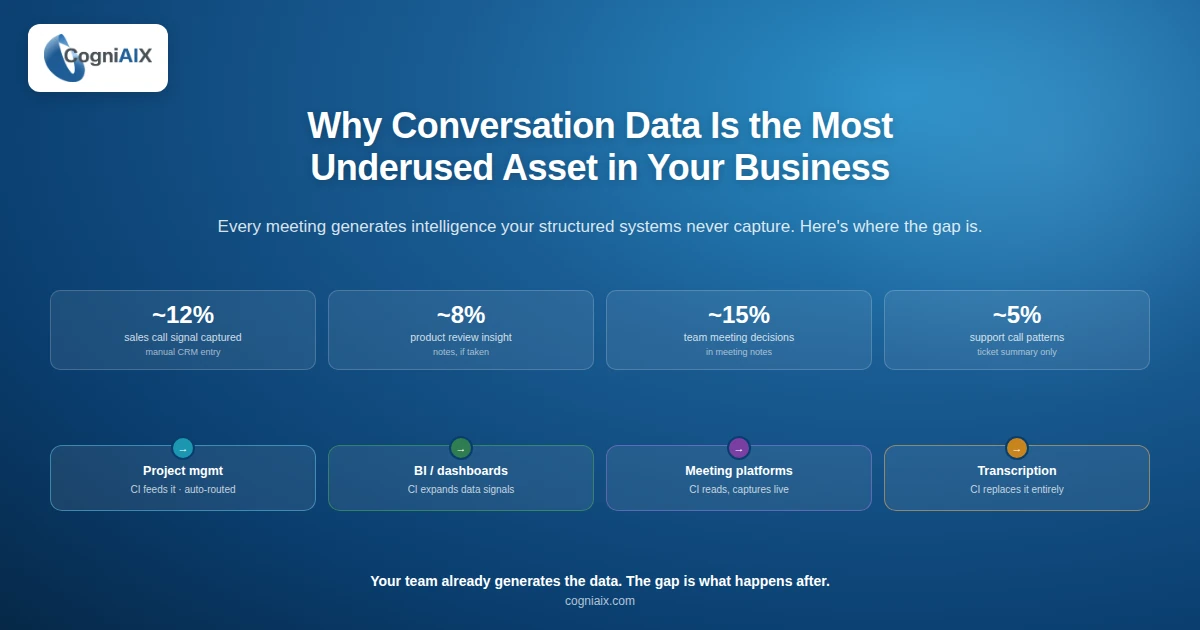
Unstructured conversation data insights are buried inside every meeting your team runs. Yet most teams never reach them. Why? In fact, the data is messy. Calls overlap. Speakers cut each other off. And the value sits hidden in raw audio that nobody plays back. As a result, your team loses hours of context every week. In practice, conversation data analytics can put a number on that cost — and make clear what your team stands to recover.
Fortunately, the fix is faster than you think. So here is what the numbers say:
- First, knowledge workers spend about 21.5 hours a week in meetings, per Microsoft's Work Trend Index.
- Second, more than 67% of meeting action items never get done, per Harvard Business Review.
- Third, only 3% of business calls get any review, McKinsey reports.
- Furthermore, AI-led teams hit 98.9% transcription accuracy in clean audio, with structured summaries in 2 to 3 minutes, based on internal CogniAIX data.
- Finally, top teams save 45 to 60 minutes per person per week on follow-up admin, per Atlassian's State of Teams report.
"Recordings are not insights. Structured patterns are."
Therefore, this post shows how teams turn raw recordings into clear, useful patterns. Indeed, the goal is simple. You want your team to save time and never lose context. So unstructured conversation data insights make that happen.
Why Raw Recordings Stay Useless
In fact, most teams sit on hours of raw call data. Yet they cannot use any of it. Here is why:
- First, the file is too long to replay.
- Second, the speakers are not tagged.
- Third, the key moments are buried in small talk.
- Finally, the format does not feed any tool your team uses.
So that is why raw data stays raw. Indeed, unstructured conversation data insights stay locked behind manual work nobody has time to do. Therefore, your team keeps making the same choices from gut feel.
What Real Insights Look Like
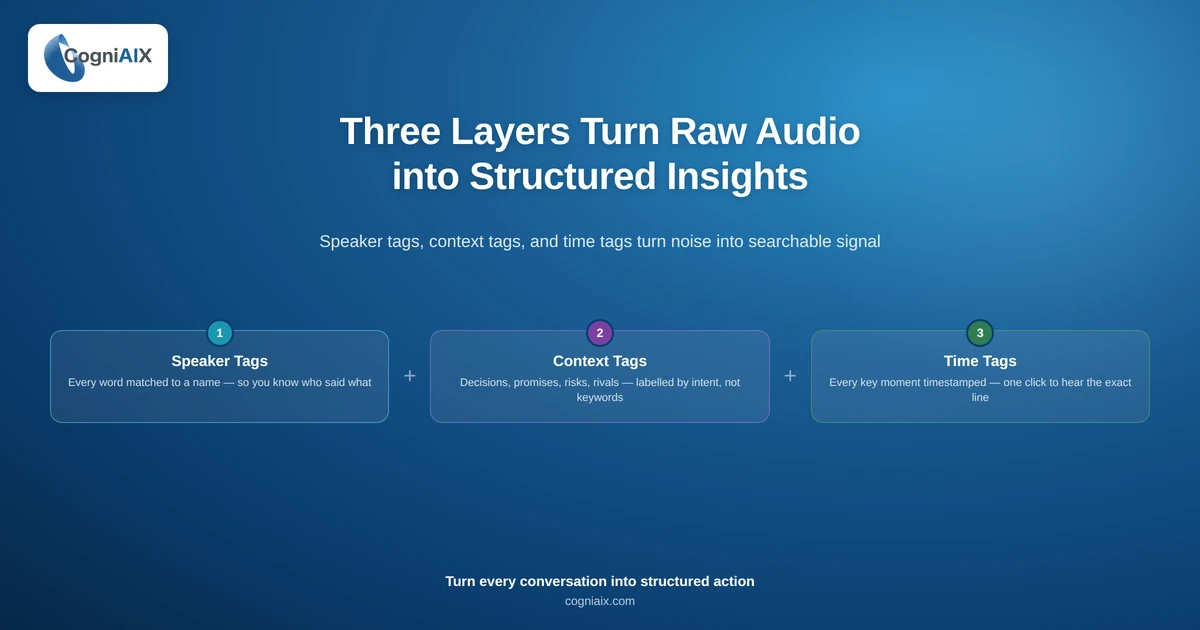
Notably, true unstructured conversation data insights come from three layers of structure. Specifically, here is what each layer does for you:
- Speaker tags. First, every word gets matched to a name. So you know who said what.
- Context tags. Second, every sentence gets labeled. Decisions. Promises. Open questions. Risks. Rivals.
- Time tags. Third, every key moment gets a timestamp. So you can click to hear the exact line later.
As a result, the same call now has 30 to 50 tagged moments. Furthermore, your team can search those moments by name, type, or date. Therefore, the data turns from noise into signal.
The Three Steps That Turn Talk into Tagged Data
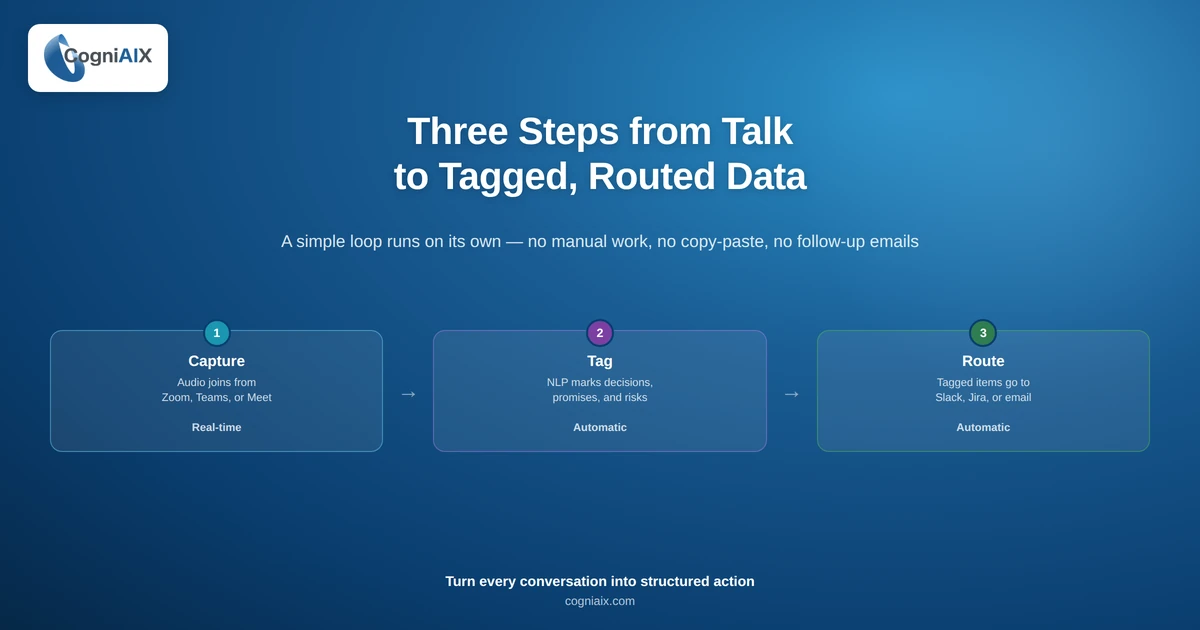
Indeed, unstructured conversation data insights come from a simple three-step flow. Here is what each step does:
| Step | What happens | Time |
|---|---|---|
| 1. Capture | Audio joins from Zoom, Teams, or Meet | Real-time |
| 2. Tag | NLP marks decisions, promises, risks | Auto |
| 3. Route | Tagged items go to Slack, Jira, or email | Auto |
So that is the full loop. No manual work. No copy-paste. As a result, the meeting ends and the work begins.
How CogniAIX Turns Raw Audio into Structured Data
In fact, CogniAIX runs this loop on its own. Notably, it joins your meeting, listens, tags, and ships output before your next call starts. Here is the full role list:
- Listener. First, it tracks every speaker. Speaker tags hit 98.9% accuracy in clean audio.
- Reader. Second, it spots intent. Promises get tagged as tasks. Statements stay as notes.
- Router. Third, it pushes tagged items to your stack. Tasks land in Jira. Decisions land in Slack.
- Archivist. Finally, it indexes every call. So your team can search by name, date, or topic.
Furthermore, all four roles run from day one. Therefore, no setup project. No training program. As a result, your team starts saving hours from the first captured session.
Compare: Raw Recording vs. Tagged Insight
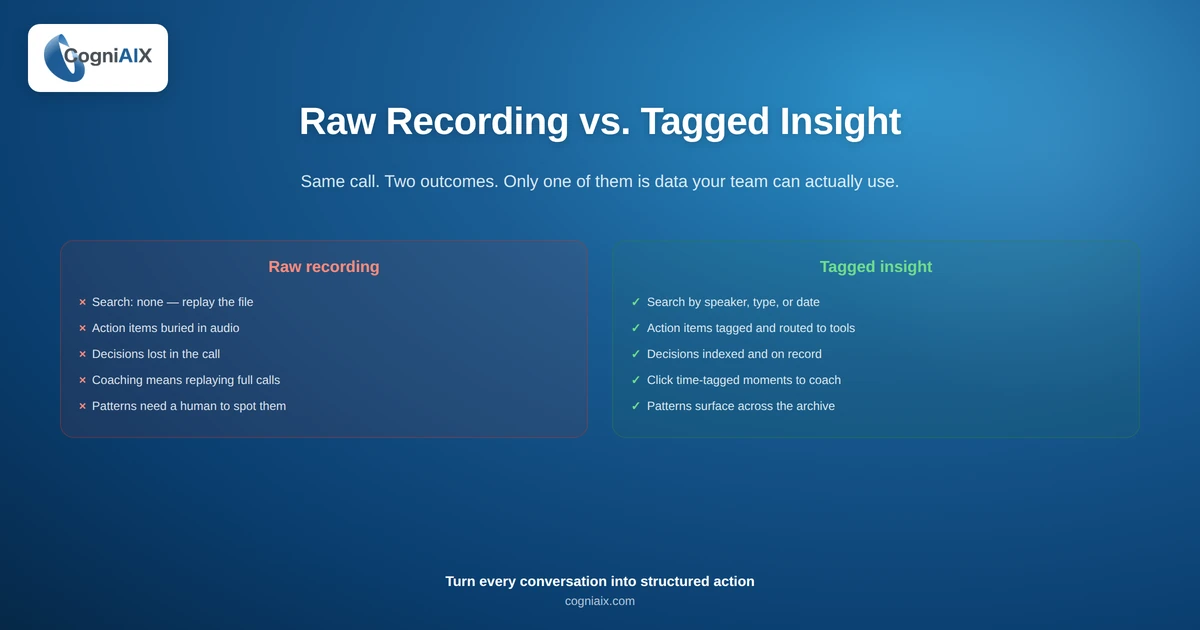
Specifically, here is what changes when raw audio becomes a tagged insight:
| Stage | Raw recording | Tagged insight |
|---|---|---|
| Search | None - replay the file | Search by speaker, type, date |
| Action items | Buried in audio | Tagged and routed to tools |
| Decisions | Lost in the call | Indexed and on record |
| Coaching | Replay full call | Click time-tagged moments |
| Patterns | Need a human to spot | Surface across the archive |
In short, the raw file is data. The tagged version is insight. Therefore, unstructured conversation data insights are not the audio itself. Rather, they are what you can do with it after the call ends.
Customer Story: From Hours of Replay to Minutes of Review
Problem. In fact, the support team at NovaWave had ten hours of weekly call audio. However, they replayed less than 5% of it. As a result, friction patterns went unspotted for months.
Workflow. Then NovaWave switched to CogniAIX. Specifically, every call got tagged by speaker, topic, and frustration cue. Therefore, the team could search the archive in seconds.
Outcome. Indeed, weekly review time dropped from 6 hours to 45 minutes. Also, the team caught two churn signals before they turned into lost accounts. As a result, retention rose by 14%.
"We used to think we needed more staff. Turns out we needed structured data." - Priya Shah, CX Lead, NovaWave
What You Get from Each Type of Call
Notably, every call type makes different unstructured conversation data insights. Here is the breakdown:
| Call type | Top insights | Who uses them |
|---|---|---|
| Sales calls | Buyer pushback, rival names, intent signals | RevOps, sales leaders |
| Support calls | Frustration cues, churn risks, fix gaps | CX, product teams |
| Team meetings | Decisions, owners, open questions | Project managers |
| 1-on-1s | Career signals, role fit notes | People Ops |
| All-hands | Trust cues, alignment gaps | Leadership |
Therefore, the same tool serves every team. Furthermore, the output stays tailored to each team's flow. As a result, no team has to change how they meet.
People Also Ask: Unstructured Conversation Data Insights
What does unstructured conversation data look like?
In fact, it is the raw audio or video from any meeting. Specifically, the file with no tags, no search, and no structure. Therefore, you cannot act on it without replaying the full call. However, unstructured conversation data insights turn that file into searchable, taggable, routable data.
How is this different from a recording tool?
Indeed, a recording tool stores the file. Rather, unstructured conversation data insights turn that file into a structured record. So decisions, owners, deadlines, and risks all get tagged. As a result, you can search them in seconds.
Can our team start without a long setup?
Notably, yes. In fact, CogniAIX joins your first meeting in under 30 minutes. Furthermore, no developer is needed. As a result, your first structured output lands the same day.
Will this work for sales calls and support calls equally well?
Indeed, yes. Specifically, each call type makes its own pattern set. So sales calls surface buyer signals. Support calls surface friction. Team meetings surface owners and decisions.
How fast do we see ROI?
In fact, most teams see structured output from the first captured session. Furthermore, weekly admin time drops by 45 to 60 minutes per person from week one.
The Quick Path from Recording to Insight
So here is your first step. First, capture one meeting with CogniAIX. Then check the tagged summary. As a result, you will see exactly how unstructured conversation data insights play out for your team.
In fact, the loop runs on its own from there. Indeed, every call gets tagged. Every promise gets routed. Furthermore, every decision gets indexed. As a result, your team saves hours every week.
Try CogniAIX free - no credit card required. Indeed, you get full feature access from day one. Also, your first structured output lands in under 30 minutes. Above all, your team starts saving time today.